


-
-
April 29, 2019 at 12:27 am #3848
stevland
KeymasterHmmm. What version of osTicket / osTicket Awesome are you using?
FYI I just uploaded and downloaded a bunch of files and opened them successfully using osTicket Awesome v1.11-1.0. I tested using.docx, .doc, .xlsx, .png and .jpg files.
If you would like me to look into this for you I will need you to create a temporary agent account (Admin Panel > Agents > Add New Agent) using info@osticket.shop. Be sure to give the account full administrative privileges.
-
April 30, 2019 at 1:07 am #3893SJaypiParticipant
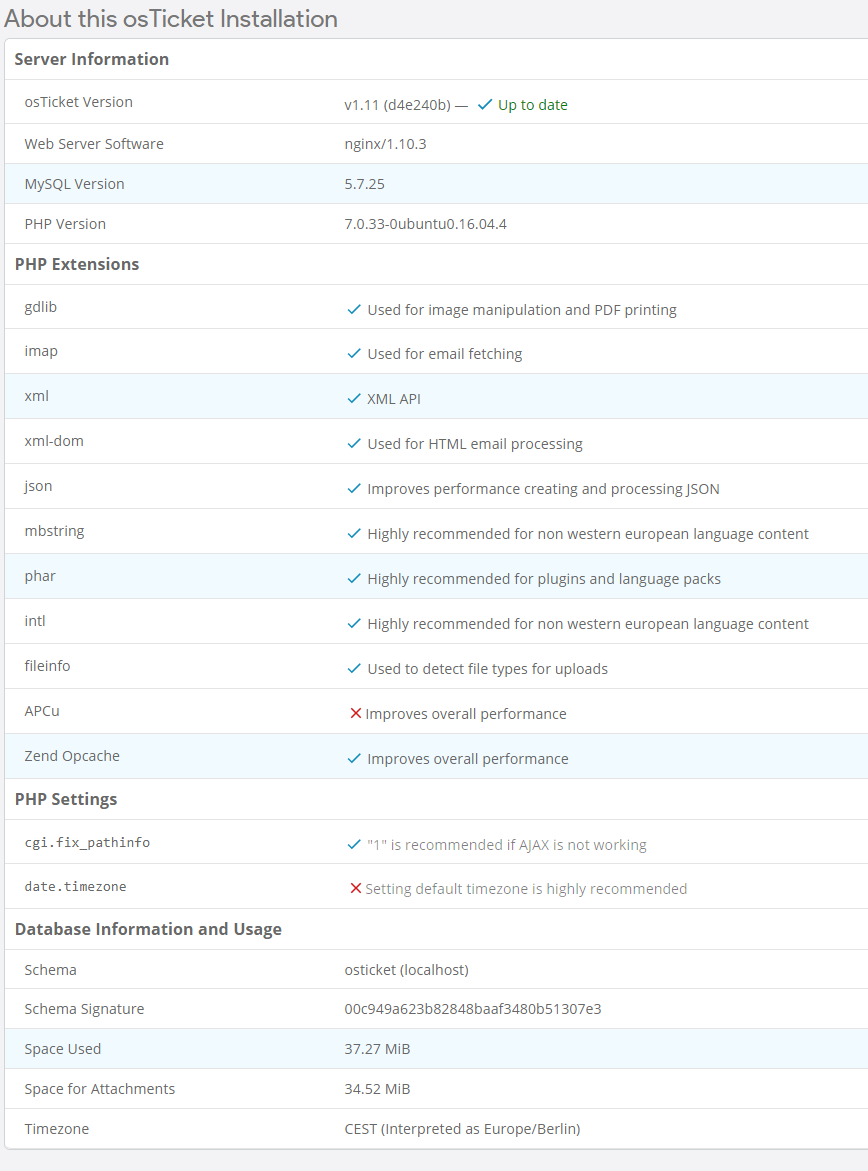
We use v1.11 (d4e240b). I attached a Screenshot with additional information.
If possible I would like to do that as a last resort because I would have to create an AWS instance. At the moment the ticketsystem is only internal and is also only reachable internally.
-
May 7, 2019 at 5:22 am #4125SJaypiParticipant
Hey Stevland
I didn’t even realise you pushed out a new version. I updated to osTicket 1.12 and the newest osTicketAwesome version and so far (at least on my test system) it looks like it’s working. I would contact you again if another issue would pop up.
Thanks for your support.
-
You must be logged in to reply to this topic.